Dynamic color schemes
Dynamic color can change a color palette to match user settings, like wallpapers, or in-product content
Choosing a source · User-generated source · Content-based source

There are two ways your product can get a source color:
- User-generated color from a user's wallpaper
- Content-based color from in-app content like a music album or book cover
Learn how dynamic color works
Both types of dynamic color are accessible and personalized, so deciding which type to use is based on what's most important in the product: content or user preference.
User-generated color
Choose a user-generated color source if:
- Your users would benefit from a personalized experience that's tested well
- You want your product to showcase the latest and greatest Material features
Get started with user-generated color
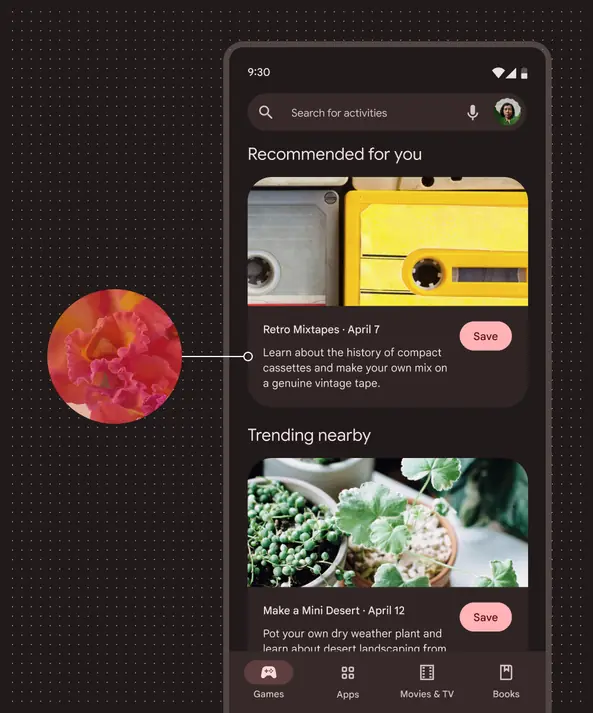
An app colored with a dynamic user-generated scheme sourced from the user's red wallpaper.
Content-based color
Choose a content-based color source if:
- Content is front-and-center in your product
- Your team can do a bit of advanced customization
- Content-based color would support usability of specific features like media players
- Content-based color is best used for contained screen elements adjacent to the source image, though the source image is not always visible.
Get started with content-based color
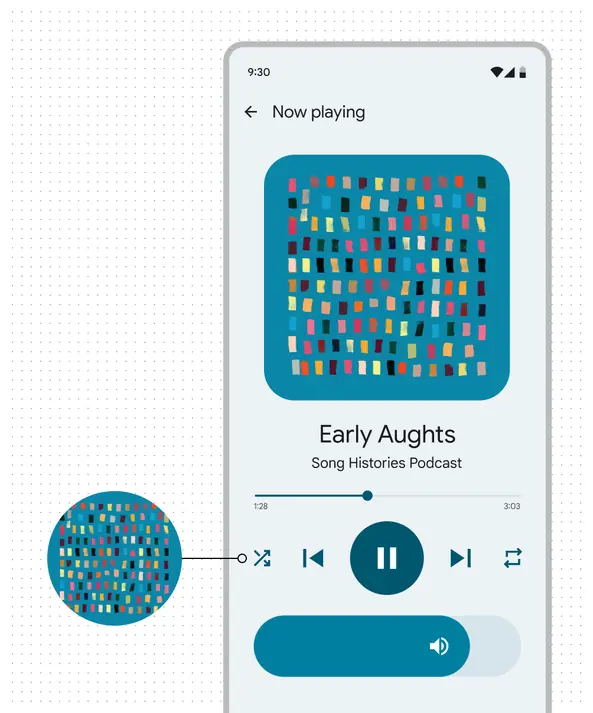
An app colored with a dynamic content-based scheme sourced from the in-app album art.
Multiple color sources
Choose to use multiple color sources if:
- Your product requirements meet multiple criteria above
- You don't mind doing a bit of advanced customization
Get started with user-generated color before customizing
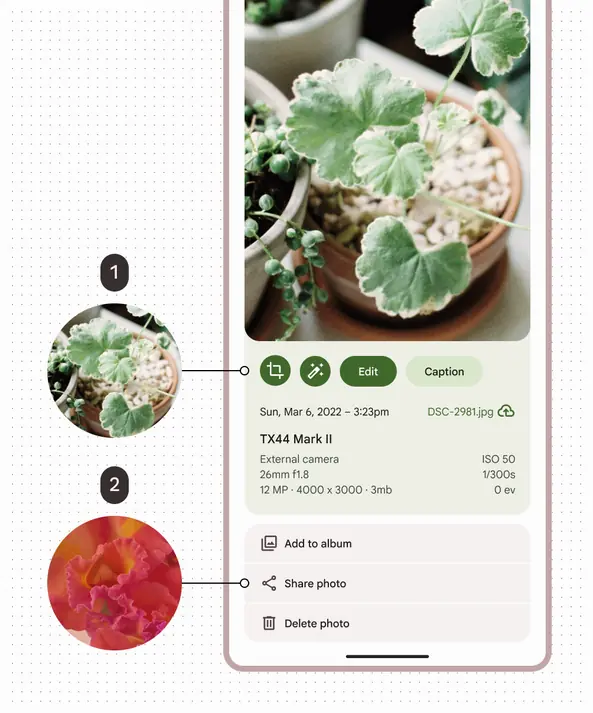
An app colored with schemes from multiple sources.
- Content-based color sourced from the in-app photo
- User-generated color sourced from the user's wallpaper