Snackbar
Snackbars provide brief messages about app processes at the bottom of the screen.
Overview · Specs · Guidelines · Accessibility
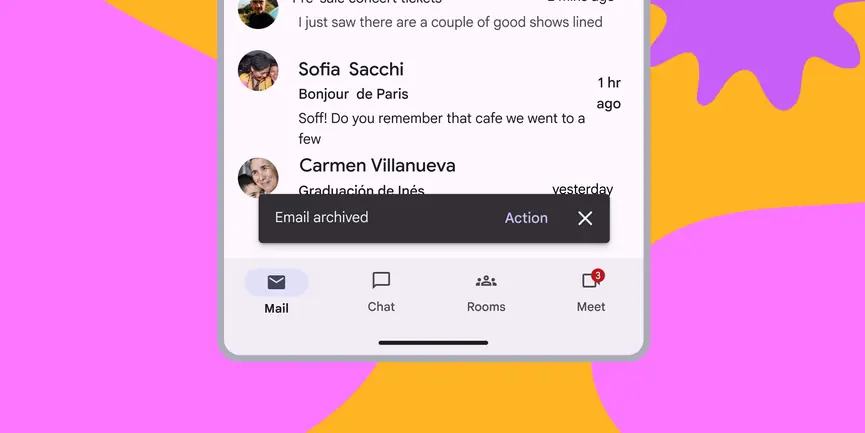
- Snackbars shouldn’t interrupt the user’s experience
- Usually appear at the bottom of the UI
- Can disappear on their own or remain on screen until the user takes action

Availability & resources
| Type | Resource | Status |
|---|---|---|
| Design | Design Kit (Figma) | Available |
| Implementation | Flutter | Available |
| Implementation | Jetpack Compose | Available |
| Implementation | Android Views (MDC-Android) | Available |
| Implementation | Web | Unavailable |
Differences from M2
- Color: New color mappings and compatibility with dynamic color
- Behavior: Clarified that snackbars can either appear temporarily (dismissive) or persist until the user takes an action (non-dismissive)
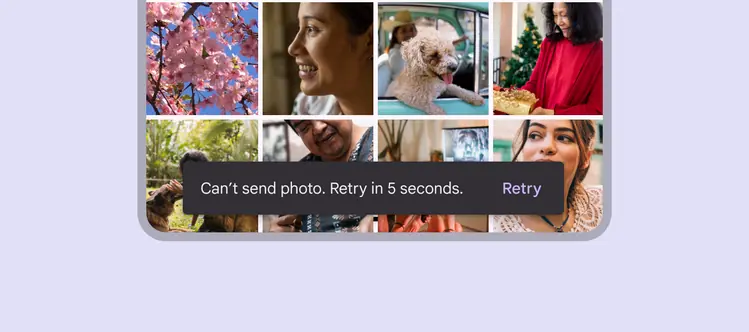
Snackbars have new color mappings